Clip Volume Control App

Clip Volume Control

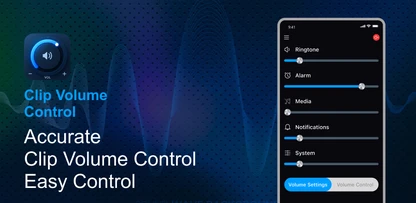
Clip Volume Control turns your home screen into a sound command center. Fine-tune every audio stream, boost media volume for a louder listening experience, and control it all with one swipe — from the moment you unlock your phone.
Clip Volume Control App Preview

App Screenshots

Independent Volume Streams

Independent Streams

Media Volume Booster

Media Volume Boost

Safe Audio Limit

Safe Audio Limit

Key Features

Independent Volume Streams

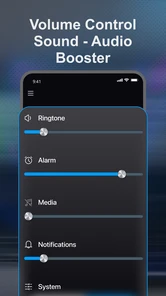
Control ringtone, alarm, media, notifications, and system volume separately so every sound stays exactly where you want it.

Media Volume Booster

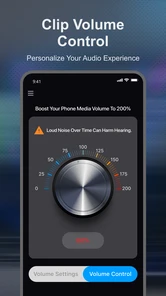
Boost media volume up to 200% for music, videos, and more when you need extra loudness from quiet content.

Safe Audio Limit

A built-in safety warning helps protect your speakers and hearing when boosting volume into higher ranges.

Swipe-Right Access

Swipe right on the home screen for instant volume access — no need to hunt through system settings.

Sound Launcher

A clean, lightweight launcher that puts volume control at the center of your home screen when set as your default home app.

Built-in Tools

Quick access to web search, weather, wallpapers, notes, and games — plus swipe for news and swipe up to see all your apps.

How It Works

1

Install & Set as Home

Download Clip Volume Control from Google Play and set it as your default home app during the welcome flow.

2

Swipe to Control

Swipe right on the home screen for instant access to ringtone, alarm, media, notifications, and system volume.

3

Boost Safely

Turn up media volume when you need it, with a safe audio limit that helps protect your speakers and hearing.

About Clip Volume Control

Clip Volume Control turns your home screen into a sound command center. Fine-tune every audio stream, boost media volume for a louder listening experience, and control it all with one swipe — from the moment you unlock your phone.
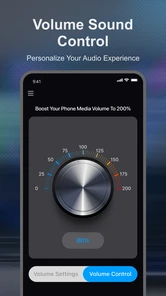
Need more volume for music and videos? The media booster can raise playback up to 200%. Prefer independent control? Adjust ringtone, alarm, media, notifications, and system volume on their own sliders instead of fighting a single master level.

Set Clip Volume Control as your default home app for a clean, lightweight launcher with built-in web search and quick access to weather, wallpapers, notes, and games. Swipe for news and content, swipe up to see all your apps. Simple. Smart. Louder.

Supported Features

Volume Booster Stream Control Safe Audio Limit Swipe Gestures Sound Launcher App Drawer Web Search Quick Tools

App Information

Developer: WISEGAMESTUDIO
Version: 1.0.0
Updated: October 22, 2026
Category: Tools
Content Rating: Everyone

Ready to Take Command of Your Sound?

Download Clip Volume Control and turn your home screen into a sound command center.

Download Now - It's Free!